
Hi to all
In this module we will be going through our topic that if u had lost ur adhaar card then how could u get it back either it is registered with ur mobile number or not. We will discuss both the conditions in this blog so read this carefully and follow these steps so you could get ur adhaar back to u.
First of all we will see the feature that UIDAI had provided us for adhaar retrieval.
OAR(Order Adhaar Reprint):- It is a paid service given by adhaar. This is the feature of adhaar I m going to discuss with you and tell you that how it could be useful for you.
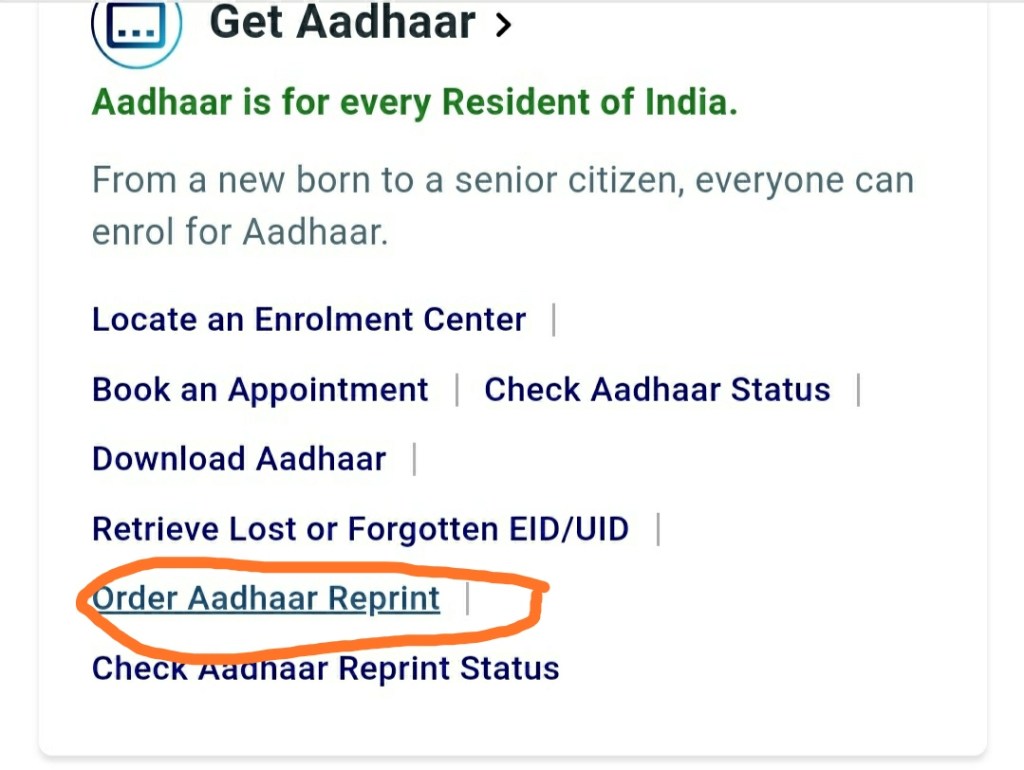
Now just follow these steps:-
Step 1:- Open your Google Chrome browser.
Step 2:- Search UIDAI in the search bar. Then you will see the official website of UIDAI. Click & open it.
Step 3:- Now scroll down and you will see Order Adhaar Reprint. Click on it.
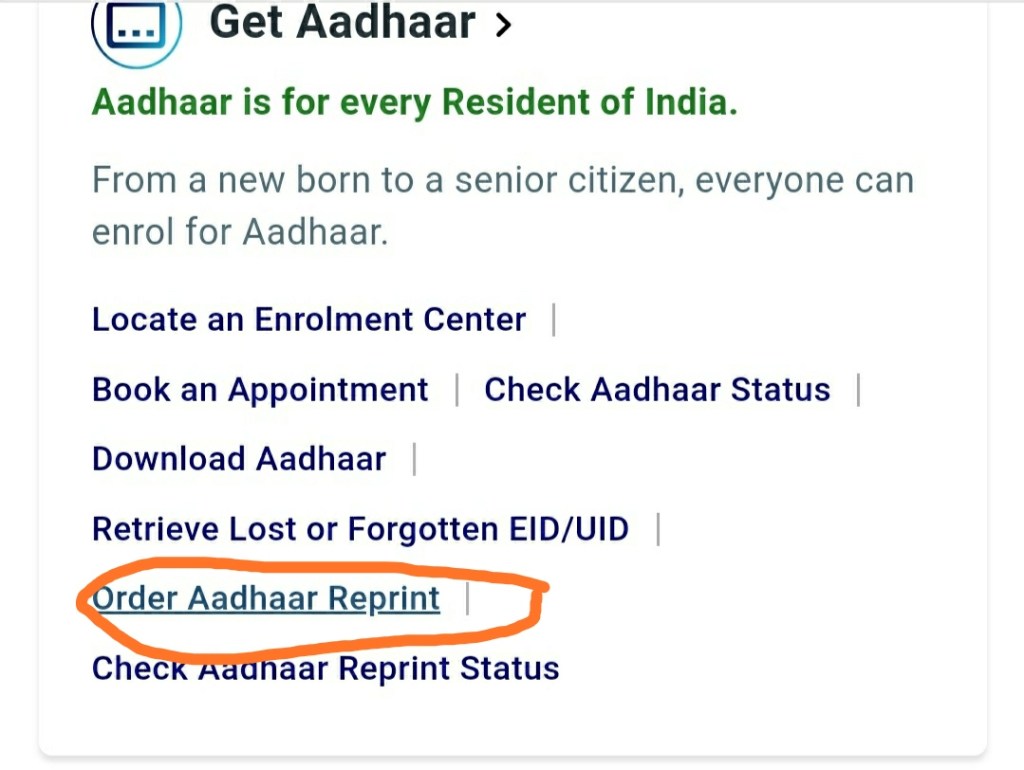
Step 4:- After clicking on Order Adhaar Reprint. It will bring u to a new page where you can execute further. The opened page will look like this.
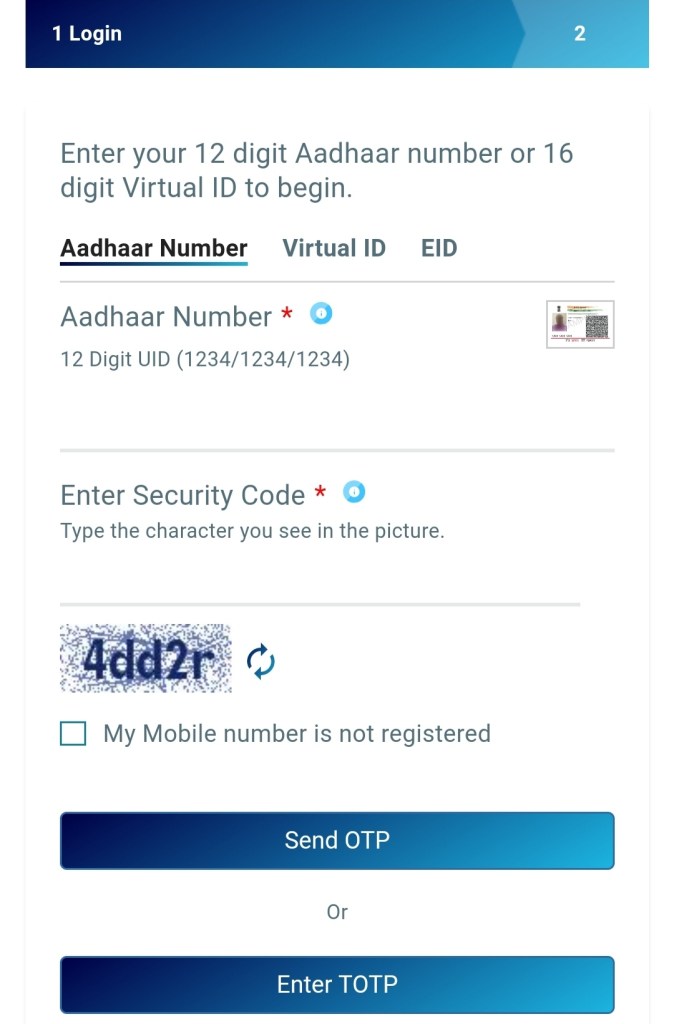
Now here you have to login into your adhaar by entering the details.
Now I will tell you If your adhaar is registered with mobile number then what you have to do:-
If your adhaar is linked with the mobile number and the mobile number is currently in use then you can also download it by download adhaar option but if u can’t download it then you can go for this method.
What u do is ?
Enter adhaar number> then enter the security code> after that click on send otp. And u you receive an otp on your registered mobile number then write the otp and then click on submit. And hence you are in . And then it will ask you for the payment of ₹50. Pay the payment and you will get your adhaar at your doorsteps.
What to do if your adhaar is not registered with the mobile number?
Just open the Order Adhaar Reprint.
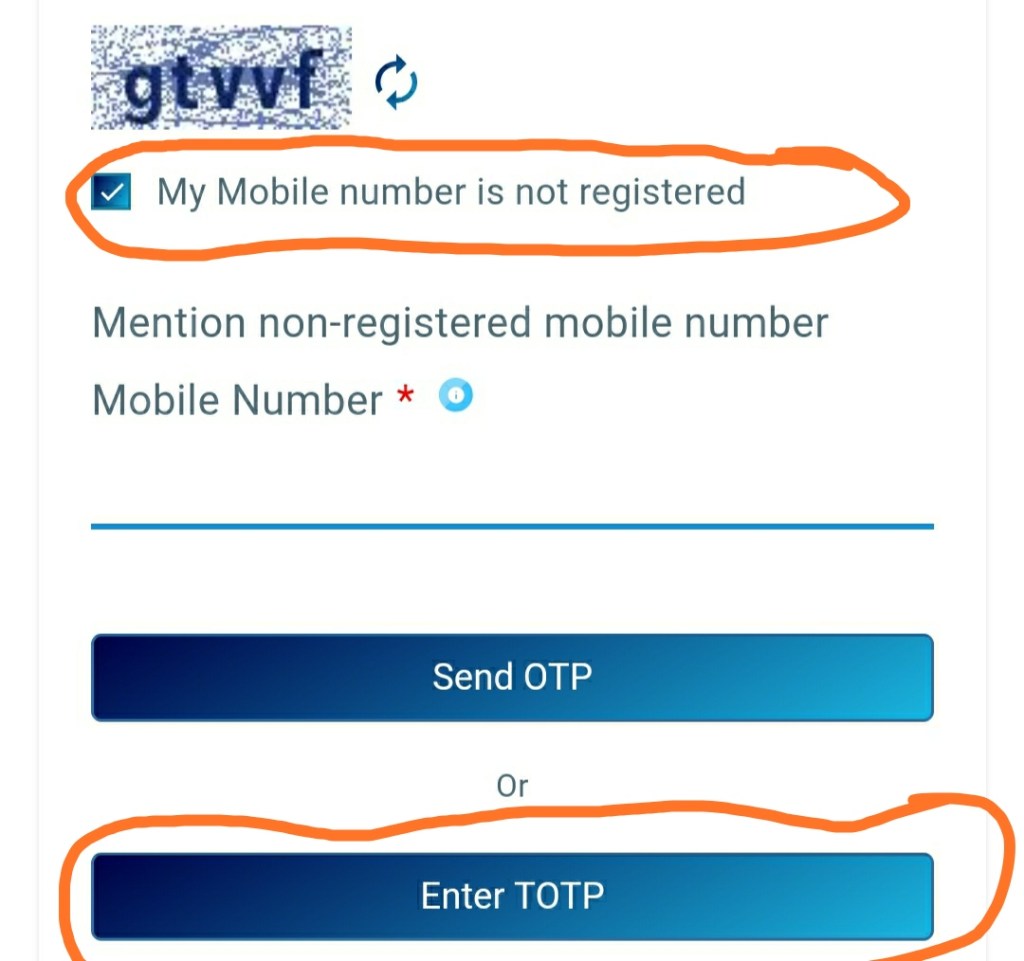
Then enter your Adhaar Number. Then enter the security code. And then tick the box that is given below.
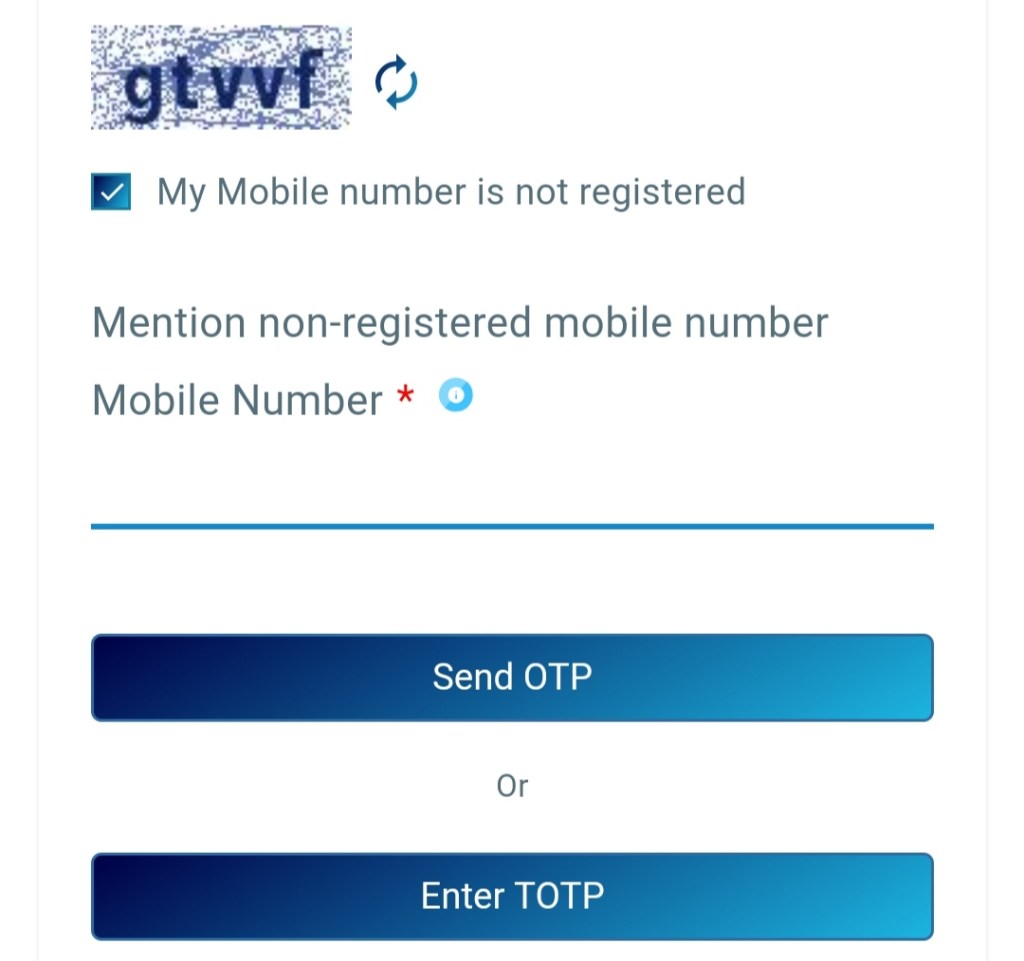
Now it will ask you to enter the alternative mobile number on which you want to get the otp. Enter the number. Make sure the number is in use. After entering the number Click on Enter TOTP. And you will get the otp . After entering the otp, hit the submit button and hence, you are in.
Now fill the address where you want the adhaar. And proceed to make the payment of ₹50.
Note:- After making the payment in both the cases a receipt will be generated. Make sure you have the print or save it to you system. Your adhaar will be delivered to you by Post within 7 working days .
Now if you want to Check the Status of that adhaar.
Open UiDAI- Below the Order Adhaar Reprint you will see Check Adhaar Reprint Status, click on that- Then enter the tracking number which was generated at the last of after making the payment. Enter the number and hit check status and boom here is your status.
So I hope this blog was helpful for you and if you need any information about your doubtful things comment me. I will solve it with the next blog. And like and share to your friends. Subscribe for more updates like this.
Stay safe and be secure
 Blogging With Shan
Badhiya hai sir.
LikeLike
Hi hello
LikeLike